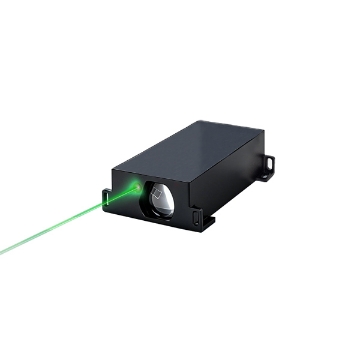
TOF Laser Sensor is a compact, high-performance laser ranging module that utilizes a 650 nm laser source, offers a measurement range of 0.05–3 m, and supports high-speed sampling at 1000 Hz. It supports a wide input voltage range of 9–36 V and features NPN/PNP interfaces, making it easy to integrate into PLC systems. Designed for automation equipment manufacturers, robotics developers, and industrial users, it is widely used in conveyor line inspection, positioning control, and smart manufacturing systems.
Feature

- With a laser distance capability of 0–3m, the sensor is not affected by the color or material of the object being detected.
- One-button calibration, easy switching between NPN and PNP (normally open and normally closed) modes, and versatile object detection make it suitable for a wide range of applications.
- The SUCH TOF laser distance sensor is compact, provides precise positioning, reliably detects transparent objects, and features a focused beam with no light dispersion.
Dimension (unit: mm)

Detail

PIN Definition (NPN)
- Brown Wire: 9–40V DC
- Blue Wire: GND
- Black Wire: NPN
Operating Guide
Power Indicator: Yellow-green light remains on
Set up Indicator: Orange light
NPN Status Indicator: Orange Light
- When the NPN is set to NO, and the distance is less than the set value, the orange light remains on, and the NPN outputs a signal.
- When the NPN is set to NO, and the distance is greater than the set value, the orange light turns off, and the NPN does not output a signal.
- When the NPN is set to NC, and the distance is greater than the set value, the orange light stays on, and the NPN outputs a signal.
- When the NPN is set to NC, and the distance is less than the set value, the orange light turns off, and the NPN does not output a signal.
NPN (NO) Setup: Secure the laser sensor in place and select the detection range. Press and hold the yellow setup button for 3 seconds, then release it. The orange indicator will flash slowly three times and then stop flashing, indicating that the setup was successful.
NPN (NC) Setup: Secure the laser distance sensor in place and select the detection range. Press and hold the yellow setup button for 5 seconds, then release it. The orange indicator light will flash rapidly three times and then stop, indicating successful setup.
Failed NPN Setup: The orange indicator light flashes rapidly 6 times and then stops, indicating a setup failure. This may be caused by not holding the button for 3 seconds, exceeding the sensing range, or the sensor’s sensing window not being properly aligned with the target object.